
Qlango: Learn 70+ Languages - App Review and Download Guide
Screenshots


Introduction
Qlango is an innovative language learning application developed by Qlango d.o.o. that enables users to learn over 70 languages, ranging from widely spoken languages like Spanish and Mandarin to lesser-known tongues such as Albanian and Tatar. With its unique approach of teaching users through their first language rather than relying solely on English, Qlango removes significant barriers for learners who may not be proficient in English. The app is designed for busy individuals, allowing them to engage in short, practical exercises that fit seamlessly into their daily lives. Whether you are an absolute beginner or have some prior knowledge, Qlango provides a personalized learning path that caters to your specific needs.
Graphics & Gameplay
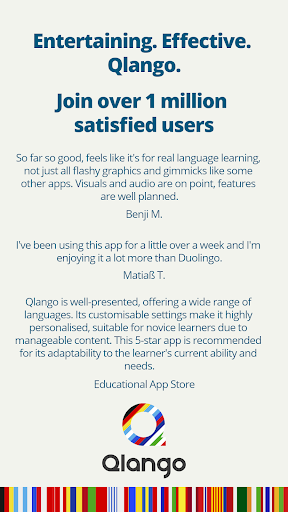
The visual appeal of Qlango is striking, with a clean and user-friendly interface that enhances the learning experience. The screenshots showcase a vibrant color palette and well-organized layout, making navigation intuitive. Users will find engaging graphics that illustrate various languages and cultures, which helps to create an immersive learning environment. The app features interactive elements such as story-based content, pronunciation practice, and visually stimulating games like Wordle-like challenges and Minute Rush. With subtitles for audiobooks and a hands-free learning mode, Qlango ensures that users can learn effectively, regardless of their learning style or preference.
Key Features
- AI Tutor: An intelligent AI tutor is available in any language, offering instant answers, explanations, translations, and grammar assistance.
- Language Variety: Learn from your native language, with support for over 70 languages, including many rare and overlooked ones.
- Structured Levels: The app offers a clear learning path from A1 to B2, allowing users to assess their proficiency accurately.
- Short Lessons: Designed for busy lifestyles, lessons are concise and can be completed in short bursts, making it easy to learn on the go.
- Adaptive Learning: The app adjusts the difficulty of exercises automatically based on the user's progress and performance.
- Interactive Games: Engage with learning through fun, interactive games that reinforce language skills in an enjoyable way.
- Personalized Recommendations: The app tailors lesson recommendations to fit individual learning preferences and goals.
- Detailed Statistics: Track your progress with comprehensive statistics that highlight your strengths and areas for improvement.
- Certificates: Receive certificates upon completing levels, adding a sense of achievement to your language learning journey.
Mod Features
For those seeking an enhanced experience, potential mod features could include:
- Premium Unlocked: Access to all premium features without any subscription fees, allowing users to enjoy the full range of content and tools.
- No Ads: An ad-free experience ensures uninterrupted learning, making it easier to focus on language acquisition.
- Unlimited Money: Users could have unlimited in-app currency to unlock exclusive lessons and features without constraints.
- All Languages Available: Instantly access all 70+ languages without any prerequisites, allowing for a truly global learning experience.
- Advanced AI Tutor: Enhanced AI capabilities to provide deeper insights and more tailored learning experiences based on individual performance.
How to Install APK on Android
Installing the Qlango APK on your Android device is simple and straightforward. Just follow these steps:
- Enable installation from unknown sources on your Android device. Go to Settings > Security > Unknown Sources and toggle it on.
- Download the Qlango APK file from a trusted source, such as the official link provided below.
- Once the download is complete, locate the APK file in your device's Downloads folder.
- Tap on the APK file to begin the installation process. Follow the on-screen prompts to complete the installation.
- After installation, you can find the Qlango app icon on your home screen or in the app drawer. Tap to launch the app and start your language learning journey!
Call to Action
Ready to embark on your language learning adventure? Download Qlango: Learn 70+ Languages now from the official link below and start learning through your own language today!