Mindustry: A Comprehensive Review and Download Guide
Screenshots
Introduction
Mindustry is a captivating factory-building game that seamlessly combines elements of tower defense and real-time strategy (RTS) gameplay. Developed by Anuken, this game invites players to construct intricate supply chains, manage resources, and defend their bases from waves of enemies. With a rich campaign mode and robust multiplayer capabilities, Mindustry offers a unique blend of creativity and strategic planning that appeals to both casual and hardcore gamers alike. Players can enjoy a variety of gameplay experiences, from conquering planets and building factories to engaging in cooperative battles with friends. The game promises endless fun as you delve into its expansive mechanics and challenges.
Graphics & Gameplay
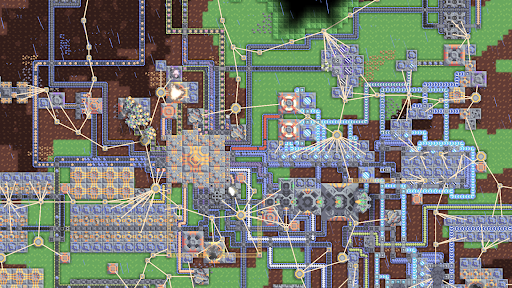
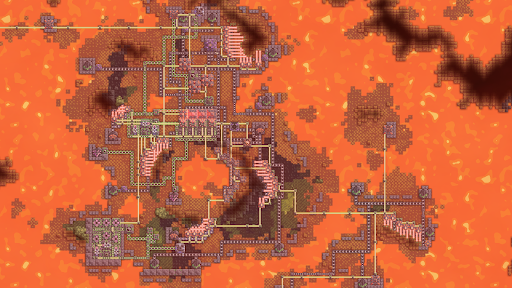
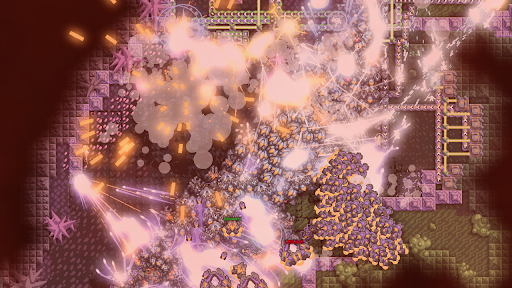
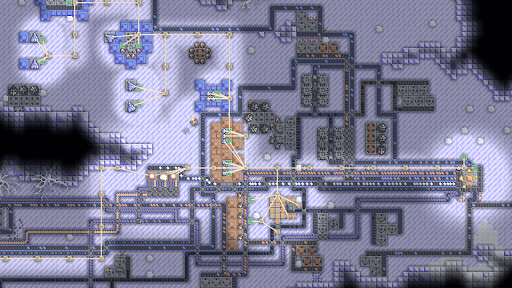
Mindustry features a visually appealing 2D pixel art style that emphasizes clarity and ease of navigation. The graphics are vibrant and engaging, showcasing detailed environments and units that pop against the backdrop of the game world. The screenshots reflect a variety of landscapes, from resource-rich terrains to fortified enemy bases, all designed to immerse players in a dynamic battlefield. The user interface is intuitive, allowing for seamless management of production lines and military units. Players can easily grasp the mechanics of resource distribution and base defense through an array of well-designed visual cues.
The gameplay itself is highly engaging, with players needing to think strategically about their resource management and defense tactics. The addition of multiplayer modes further enhances the experience, allowing players to work together or compete against each other in exciting scenarios. Whether you are constructing massive factories or leading an army against an enemy stronghold, the gameplay in Mindustry is both challenging and rewarding.
Key Features
- Complex Production Chains: Create advanced materials and manage intricate supply lines to maximize efficiency.
- Tower Defense Mechanics: Build and upgrade turrets to fend off enemy waves, utilizing a variety of strategies to protect your core.
- Cross-Platform Multiplayer: Engage in cooperative and competitive gameplay with friends across different platforms.
- Diverse Campaign: Explore 35 handcrafted maps and 250+ procedurally generated sectors, each offering unique challenges and objectives.
- Resource Management: Distribute liquids and manage production under various challenges, including fire outbreaks and enemy raids.
- Variety of Units: Produce drones, mechs, and ships for both defense and offensive strategies against enemy bases.
- Custom Game Modes: Enjoy built-in maps for custom games, or create your own scenarios with a fully functional map editor.
- Mod Support: Access a built-in mod browser to enhance your gameplay experience with community-created modifications.
Mod Features
To enhance the experience of playing Mindustry, players can explore various mod features that add an extra layer of fun and functionality. Here are some inventive mod features that could be incorporated:
- Premium Unlocked: Enjoy all game features and elements without any restrictions, allowing players to focus on creativity and strategy without grinding for resources.
- No Ads: Experience uninterrupted gameplay without any advertisements, ensuring a smooth and immersive experience.
- Unlimited Money: Gain access to unlimited in-game currency, enabling players to build and upgrade without limits, fostering creativity in factory design.
- Enhanced AI: Improve enemy and ally AI behavior for a more challenging and engaging gameplay experience.
- Custom Skins and Units: Personalize your gameplay with unique skins for units and buildings, showcasing your style and creativity.
How to Install APK on Android
Installing the Mindustry APK on your Android device is a straightforward process. Follow these steps to ensure a successful installation:
- Download the APK: Tap on the download link provided below to get the Mindustry APK file.
- Enable Unknown Sources: Navigate to your device's settings. Go to Security (or Privacy) and enable "Install from Unknown Sources" to allow installation of apps from sources other than the Google Play Store.
- Locate the APK File: Use a file manager app to find the downloaded APK file in your device's Downloads folder.
- Install the APK: Tap on the APK file to begin the installation process. Follow the on-screen prompts to complete the installation.
- Launch the Game: Once installed, locate Mindustry in your app drawer and tap to start playing!
It’s important to download APKs from reputable sources to ensure the safety and integrity of your device.
Call to Action
Ready to dive into the world of Mindustry and experience the thrill of factory-building and tower defense? Click the link below to download the APK and start your adventure today!