Check Calendar - Habit Tracker: Detailed Review and Download Guide
Screenshots
Introduction
Check Calendar - Habit Tracker is an innovative app designed by Naoki Otsu that allows users to easily track their habits using a simple yet effective calendar system. With version 14.6.0, this app combines functionality with user-friendly features, enabling users to record their daily activities with just a single tap. Whether you're aiming to cultivate healthy habits, manage your time, or simply keep a record of your day-to-day tasks, Check Calendar provides a versatile platform to achieve your goals. From notes and unlimited tabs to visual reports and dark mode, this app is crafted to cater to diverse user needs without requiring any complicated setup.
Graphics & Gameplay
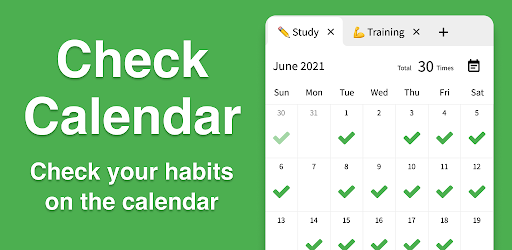
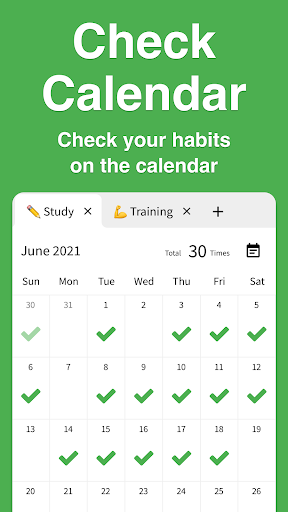
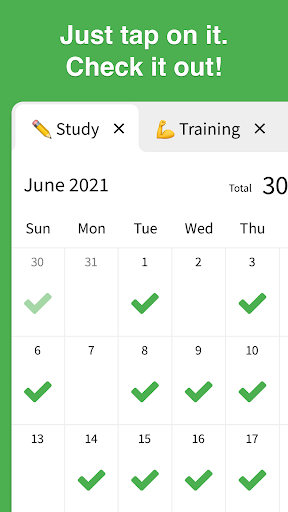
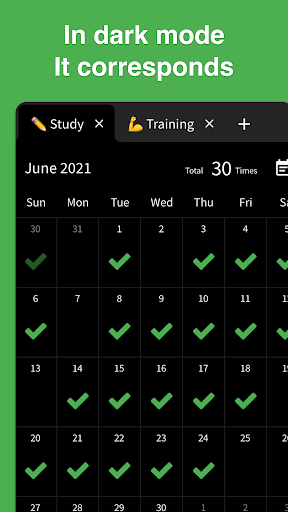
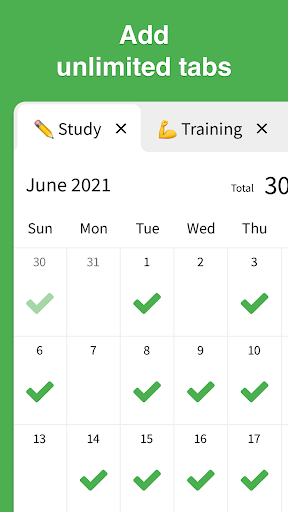
The visuals of Check Calendar are clean, intuitive, and aesthetically pleasing. The app features a modern interface with a seamless layout that enhances user experience. The calendar view displays days clearly, allowing users to check off habits with minimal effort. Each entry can be personalized with colorful emojis, making the tracking process more engaging and fun. The use of varied color themes and dark mode options enables users to customize their experience according to their preferences and lighting conditions. The graphical reports showcasing habit progress are visually informative, utilizing graphs that effectively illustrate trends over selected periods, ensuring that users can easily assess their performance.
Key Features
- One-Tap Habit Tracking: Record your habits effortlessly with a single tap on the calendar.
- Note Taking: Capture your thoughts with short or long notes to accompany each habit.
- Unlimited Tabs: Organize your habits into limitless categories, such as "Workout," "Study," or "Reading."
- Customizable Emojis: Change checkmarks to any emoji you prefer, adding a personal touch to your habit tracking.
- Visual Reports: Analyze your habit progress with graphs for specific timeframes (e.g., last 7 days, last 28 days, or last 6 months).
- Check History: View past check-ins and notes conveniently in one location.
- Reminders & Notifications: Set personalized reminders to help you stay on track with your habits.
- Backup & Restore: Automatically back up your data and restore it while switching devices.
- Dark Mode: Choose between Light mode, Dark mode, or Auto based on your device settings.
- Enhanced Security: Protect your records with biometric authentication, such as Face ID or Touch ID.
- Offline Functionality: Use the app without an internet connection, ensuring accessibility anytime and anywhere.
- No Login Required: Start tracking habits immediately without the hassle of signing up.
- Privacy Focused: Data is stored only on your device and never shared with third parties.
Mod Features
While the standard version of Check Calendar offers an impressive array of features, a modded version could enhance the experience even further. Here are some plausible mod features that would make this app even more appealing:
- Premium Unlocked: Access all premium features without any in-app purchases, allowing users to enjoy the full functionality of the app effortlessly.
- No Ads: Enjoy an uninterrupted experience by eliminating all ads, providing a clean interface to focus on habit tracking.
- Unlimited Money: Gain unlimited access to customize themes and emojis without limitations, enabling users to fully personalize their habit tracking experience.
- Advanced Analytics: Unlock detailed analytical features that provide insights into habits over time, helping users develop better tracking strategies.
- Custom Reminders: Create unique reminders that can include motivational quotes, helping to keep users inspired and engaged.
How to Install APK on Android
Installing the Check Calendar - Habit Tracker APK on your Android device is a straightforward process. Follow these steps to get started:
- Download the APK: Visit the official website or trusted APK source to download the Check Calendar APK file.
- Enable Unknown Sources: Go to your device's settings, navigate to Security, and enable "Install from Unknown Sources" to allow the installation of apps from sources other than the Google Play Store.
- Locate the APK File: Open your file manager and find the downloaded APK file, usually located in the "Downloads" folder.
- Install the APK: Tap on the APK file, review the permissions, and click "Install." Wait for the installation to complete.
- Open the App: Once installed, you can find Check Calendar in your app drawer. Open the app and start tracking your habits!
Conclusion
Check Calendar - Habit Tracker stands out as an exceptional tool for anyone looking to cultivate and maintain positive habits. With its user-friendly interface, customization options, and robust features, it offers a comprehensive solution for habit tracking. Whether you're a casual user or someone deeply invested in personal development, this app can help streamline your efforts. Don't hesitate to make the most of your time and habits!
Ready to start tracking your habits? Download Check Calendar - Habit Tracker now from the official link below!